Faster first pass
Go from an idea to a testable 3D layout without a heavy setup.
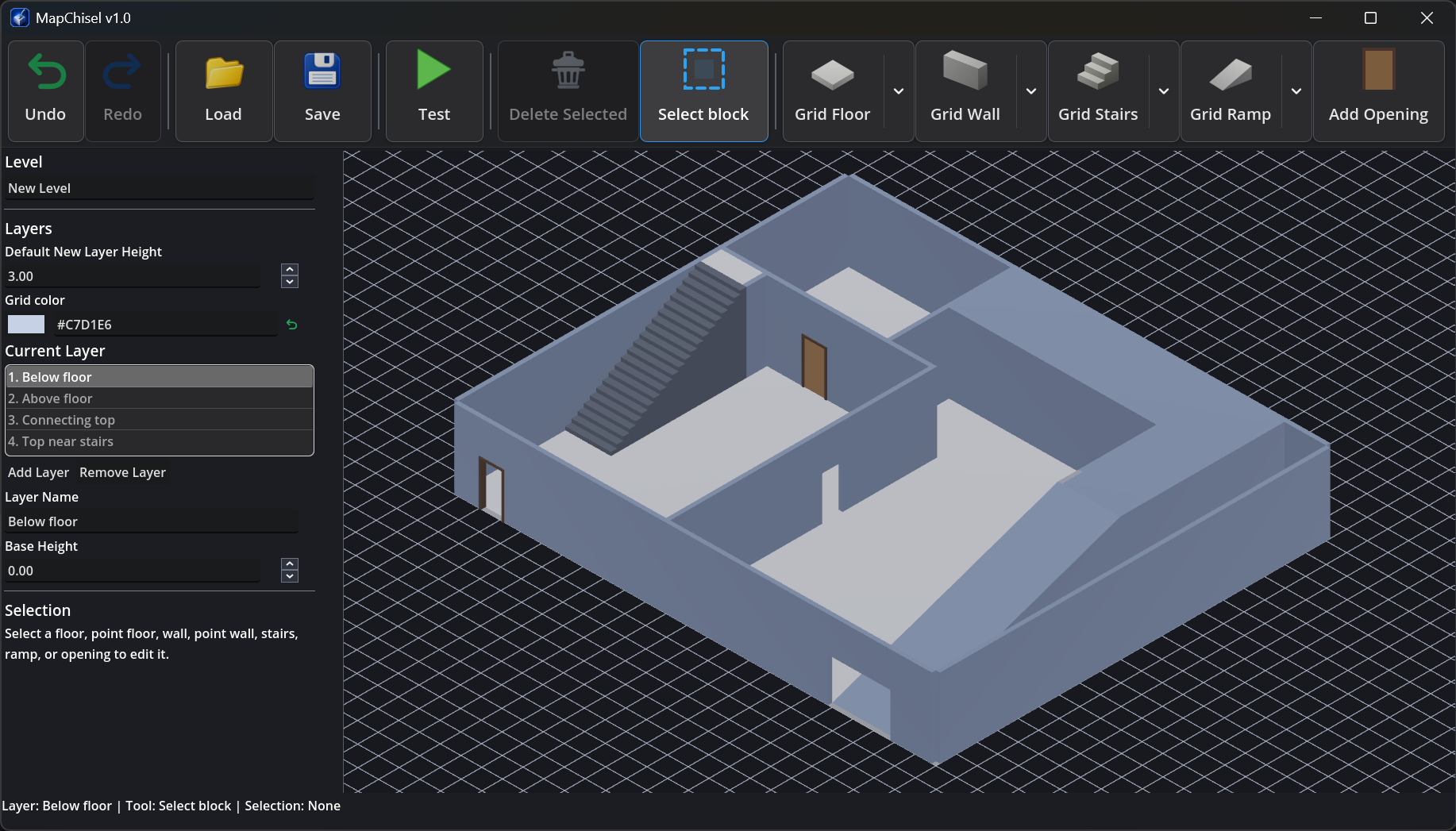
Create rooms, corridors, walls, stairs, ramps, doors, and openings with focused building tools, then continue refining the result in Godot or your preferred workflow.
MapChisel — 3D Level Editor for Godot and Beyond
I built MapChisel to give indie developers a simpler way to create 3D level layouts, especially for Godot projects.
Build rooms, walls, stairs, ramps, doors, and openings, then save your MapChisel project or export it as a Godot scene, JSON data, or a GLB model.
Short intro video
A quick look at the editor workflow: create a 3D layout, preview it in test mode, export the level, then download the Free Preview or unlock the Full Version.
Faster first pass
Create rooms, corridors, walls, stairs, ramps, doors, and openings with focused building tools, then continue refining the result in Godot or your preferred workflow.
Made for iteration
Change room sizes, routes, heights, and connections before spending time on detailed models, textures, and final artwork.
Fits your workflow
Build in MapChisel, then export the result as a Godot scene, JSON data, or a GLB model.
Workflow
Build the structure, test the space, refine the layout, and export when it is ready.
See the same level built in MapChisel running in a playable Godot project.
Download
The Free Preview lets you explore the interface and test the editing workflow. The Full Version unlocks saving and exporting.